

MarsCode
Review ratings
Integration support
None
Ideal for
Free
Price
Free
Gallery

About MarsCode
MarsCode is an AI-driven integrated development environment (IDE) aimed at improving software development productivity with features such as code autocompletion, generation, explanation, and debugging. It provides a cloud-based, hassle-free environment where users can initiate projects from templates or Git repositories, enabling rapid and reliable deployment. The platform also encompasses tools for API testing, bug resolution, and schema management, positioning it as a holistic solution for developers seeking to optimize their coding workflows.
MarsCode key features
Integrated AI coding assistant for code completion, clarification, troubleshooting, and error resolution.
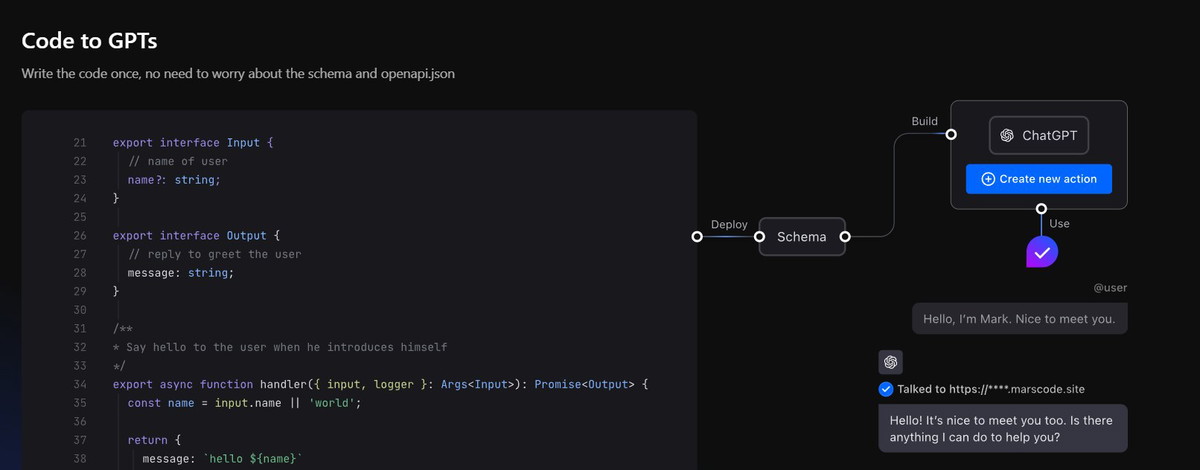
One-click scalable deployment and automatic API creation for functions.
No-configuration cloud development environment that sets up with a single click.
Facilitates project initiation from templates and Git repository imports.
Automatic generation of test input data for API testing within a development setting.
MarsCode use cases
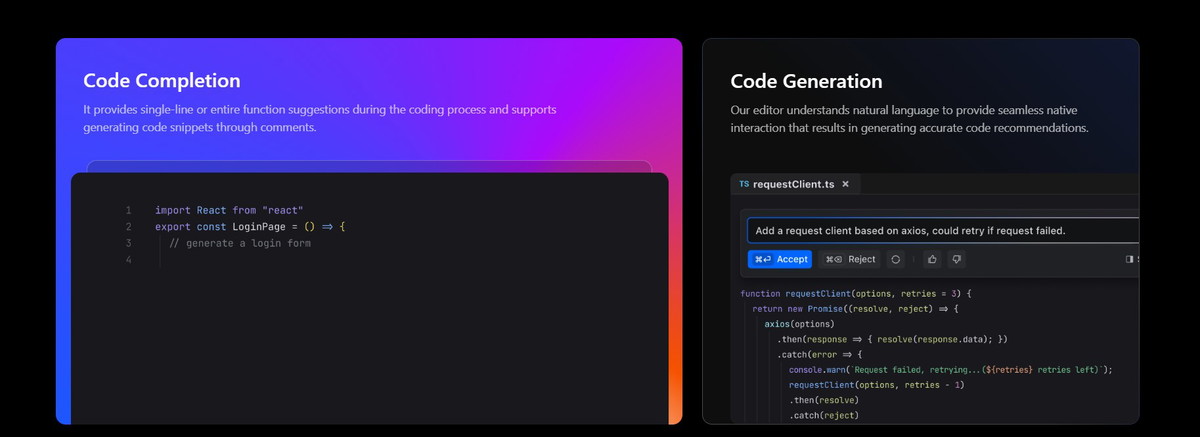
Code Autocompletion: Delivers inline or complete function recommendations while coding, including creating code samples from comments.
Code Analysis: Provides clear interpretations of project code to aid in the swift onboarding of new developers.
Error Resolution: Detects bugs in the code and proposes intelligent enhancements for optimization.
API Validation: Automatically creates test data and evaluates APIs within a development environment that replicates the production setup.
One-Click Deployment: Facilitates scalable deployment with a single action, generating access APIs for functions to streamline operation and maintenance.
Useful for
Integrated AI Coding Assistant: Accelerates development with functionalities like code suggestion, clarification, and troubleshooting.
Conversational Code Generation: Facilitates effortless interaction for producing precise code suggestions based on user input.
Automated Error Correction: Detects coding errors and proposes enhancements, elevating code quality and minimizing debugging duration.
One-Click Launch: Streamlines the launch process, allowing swift and effective application deployments without complicated setups.
Ready-to-Use Development Framework: Offers an out-of-the-box setup that removes the necessity for extensive configuration, enabling developers to start programming right away.